|
Mahjong Forests
|
| Click to MacZOT |

|
|
|
|

;)
|
Discover one of the most beautiful Mahjong games ever created! Game Features: System Requirements:
This weekend’s ZOT? – DVDRemaster |


|
Mahjong Forests
|
| Click to MacZOT |
|
|
|
|
|
Discover one of the most beautiful Mahjong games ever created! Game Features: System Requirements:
This weekend’s ZOT? – DVDRemaster |
 |
FileXaminer – Easily modify file and folder attributes, and a lot more!Normally: $10.00 ZOT Price: $5.49 |
| Click to MacZOT |

|
|
|
|
What is FileXaminer?
FileXaminer eliminates the need to use Terminal, and makes changing attributes on files and folders a breeze. User Comments
"I am very impressed with its user friendliness. Excellent piece of software." -Johnny Luu "Many thanks for FileXaminer – This tool helps me out 20 times a day, not many OSX tools you can say that about." -Alexander Lawrence “FileXaminer is a useful tool I keep coming back to. It does more and costs less.”
“FileXaminer 1.0 is currently the best “Get Info” application for Mac OS X” “Yes, it’s great! Just LOVE it! 6 stars!”
“This is a “must-have” utility.”
“Much better than Bare Bones’ Super Get Info and $10 less.”
"This is a much better product than Super Get Info (from Bare Bones) and it’s cheaper…"
Featured Books
Click on book icon for more information. Awards and Reviews
Mac OS X Privilege Overview
System Requirements
|
|||||||
 |
PocketMac RingtoneStudio for iPhoneNormally: $14.95 ZOT Price: $7.50 |
| Click to MacZOT |

|
|
|
|
|
||||||||
|
PocketMac created several technological firsts for the Mac world, starting with their groundbreaking sync solutions connecting Windows Mobile devices and BlackBerry handhelds to the Mac. PocketMac strives to bring connect Mac users to the best technologies available. Currently their products sync to over 520 devices and counting. |
||||||||
|
System Requirements: ("Tiger") Or ("Leopard") Space |
||||||||
Click to Developer’s Site for more info.
 |
VideoPier
|
| Click to MacZOT |

|
|
|
|
|
Why VideoPier? VideoPier is the missing link between MPEG2 camcorders and your Mac. Simplify your workflow VideoPier will let you copy files from your camcorder to disk without any conversion. Your files will appear in date-based events for easy retrieval. Built on solid foundations VideoPier is built on top of the ffmpeg open-source component. This component provides very high quality video processing and support for a wide wide variety of formats. Beauty and simplicity VideoPier and iMovie VideoPier is not a replacement for iMovie 06/08. Instead it offers the following benefits to iMovie users: VideoPier and HDV VideoPier handles raw HDV material on your disk. Even if you don’t possess the Apple HDV Codec that ships with Final Cut Pro, VideoPier lets you visualize and convert these files. Supported camcorders(*) VideoPier has been tested with videos coming from the following camcorders: (*) if your camcorder does not appear to be supported, please contact us at: support.my.camcorder ‘at’ aquafadas.com System requirements |
Flowing Pennies
|
|
| Click to MacZOT |

|
|
|
|
Would you like to easily track your financial info?
Flowing Pennies for OS X is designed to bring simplicity and clarity to your finances. Each transaction you make in your household finances has a single financial result, and ends up in a single number, and this is the guiding principle of Flowing Pennies: the most important number for each transaction is your resulting current net worth. Other numbers, such as the balances in arbitrary accounts, are less important than the single number showing your liquidity. Flowing Pennies is designed to be used primarily with the “Simple Transaction List View” which shows each transaction, color-coded to show which account was used for each transaction; when more detail is needed, the “Ledger Transaction List View” shows each transaction and its effect on each transaction. The main view, the “Simple transactions view,” succinctly shows all of your transactions from all accounts. Background PhilosophyYou can learn more about Flowing Pennies at the Flowing Pennies page. Some background thoughts can be found in several articles: Flowing Pennies requires at least Mac OS X 10.4 (Tiger).
|
 |
Jumsoft iWeb Themes BundleNormally: $69.99 ZOT Price: $34.99 |
| Click to MacZOT | |
|
|
|
A great assortment of new iWeb themesColorful themes to reflect your personality Surrender yourself to summer’s influence and create your Web site with a flair. This power of the sun has inspired us to create the latest high-quality iWeb Themes full of summer notes. Our aim is to give you more and more fascinating options to show your creativity for building or refreshing your personal, leisure, entertainment, or business Web site. iWeb enables you to compose your Web site effortlessly. We know that sometimes you like the design of the Web site theme, but the color schemes does not fit your needs. That’s why, each of ten new iWeb themes we offer has five or more different color schemes to choose from. In other words, Get five color varieties for each theme. Four simple steps get you started. Buy, download, install the theme, and add your content – pictures, movies, or whatever you want on your Web site. iWeb themes come with their own installer application, so you don’t have to worry about moving them to iWeb. As always each theme contains numerous page layouts you are likely to need, such as “Welcome,” “About Me,” “Photos,” “My Albums,” “Movie,” “Podcast” “Blog,” and “Blank.” Find out more about the Jumsoft iWeb Themes Bundle here.
Teddy
The name says it all! The Teddy theme brings up good feelings – parental love, sweetness, happiness, care, tenderness, and a lot more. The Teddy theme is especially recommended for new parents to tell the world about their child. It also perfectly fits a company providing baby goods. There are five different color schemes to choose from, something for girls, for boys, or general color schemes. Flowered World
The Flowered World theme reveals your fashionable attitude towards Web site style. The main focus of this theme is the fancy and modern flowered background. The Flowered World theme consists of three main parts: the background and two layers of different importance. You can represent the information in two ways, placing the main material on the first layer and the description of it on the second layer, or vice versa, depending on your needs. There are seven different backgrounds to choose from – French blue, teal, flame, Dartmouth green, Scarab green, orange, and citrus. Paradise The Paradise theme has a solid atmosphere with a little bit of fun. The neutral background, which blends from black to grey, allows you to play with other colors without the fear of a too-loud color scheme. Your new photos will be noticed instantly in the Paradise theme because your pictures look like they have been posted separately on the Web site. There are five variant pastel color schemes with the same background for the Paradise theme – pink, bluebird, scarab green, golden poppy, and orange. Red Line The Red Line theme has a lucid and summery mood. The light colors of this theme certainly will elate your visitors as well as yourself. You can choose one of five different design variants for the Red Line theme depending on which particular details of your Web site – in one variant, the emphasis is on the new pictures, while in another one, the focus is on the news or labels, etc. Business
There Business theme is clear and focused. The background blends from a light color to white, enabling your visitors to keep their attention on the important information. The atmosphere of the Business theme is in between serious and fun. The most noticeable difference among the Business theme variants is highlighting your news in few ways – strong, very bright, bright, noticeable, or neutral. Color Beauty The Color Beauty theme fits perfectly when you need to be noticed. Three main colors prevail in Color Beauty theme – white, black, and a bright one that you will choose. Surprisingly, the loudness of the bright colors is not too intense. There are also sheets for the particular layouts so your Web site content will be noticed quickly. There are five bright color schemes to choose from with the Color Beauty theme background – orange, bluebird, scarab green, orchid, and mint green. Transparent Ribbon A transparent ribbon in this theme reflects the timelessness of the important information on your Web site. It is also conveys the idea that your information is always current and frequently updated. The Transparent Ribbon theme fits perfectly for the solid business image. You can choose one of five different backgrounds for your Web site title that matches the color of your headlines, including pansy, beige, cherry, scarab green, and bluebird. Simple Info The Simple Info theme looks like a piece of paper has been posted on the screen. There is also an international symbol for information that automatically conveys the importance of your Web site’s content to your visitors. A solid atmosphere with a little bit of good mood works wonderfully. Choose one of five colors to highlight the information symbol to match the headlines of your Web site – orange, orchid, bluebird, scarab green, and cherry. Striped Paper The Striped Paper theme conveys a sweet and pleasant attitude towards the visitors of the Web site. The news or other important information will catch your visitors’ eyes because the main part of the Striped Paper theme seems to have been posted on the screen. Choose one of five Striped Paper themes depending on how you want to highlight your news – strong, very bright, bright, noticeable, or neutral. Modern Daybill
The Modern Daybill theme looks like two separate layered pieces of paper. The shadows of the first paper on the Web site create a real 3D look, so your information seems to be real and compelling. You can choose one of five colors for the first background to match the headlines of the main paper – beige, charcoal, blue flower, cherry, and black. Find out more about the Jumsoft iWeb Themes Bundle here.
Requires iWeb 2 or higher. |
 |
Spring Up!
|
| Click to MacZOT |

|
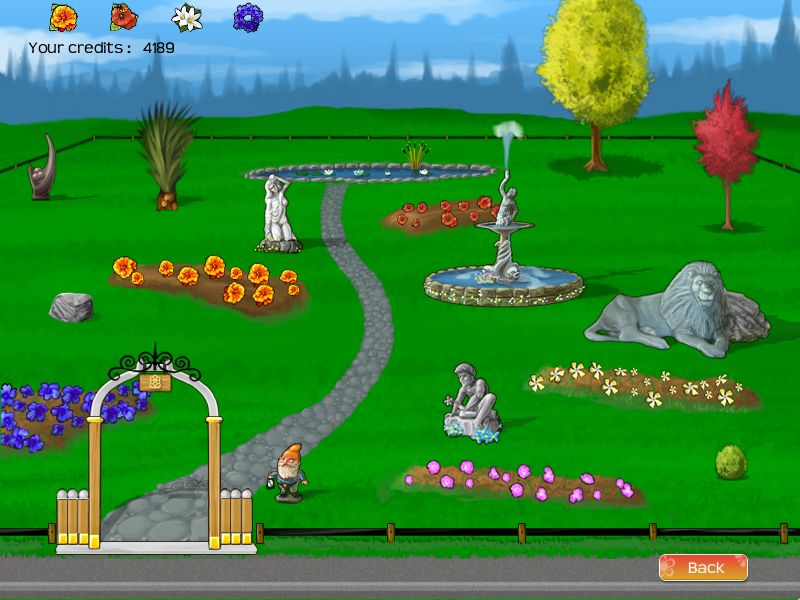
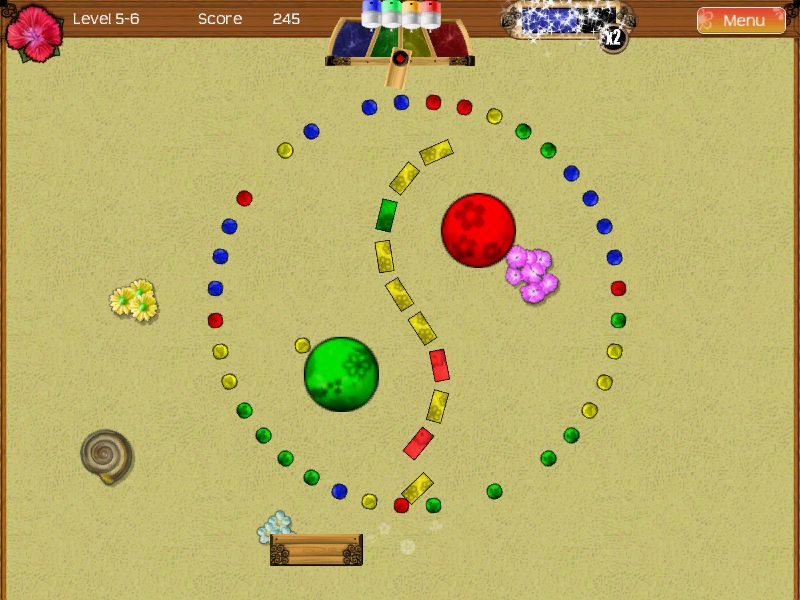
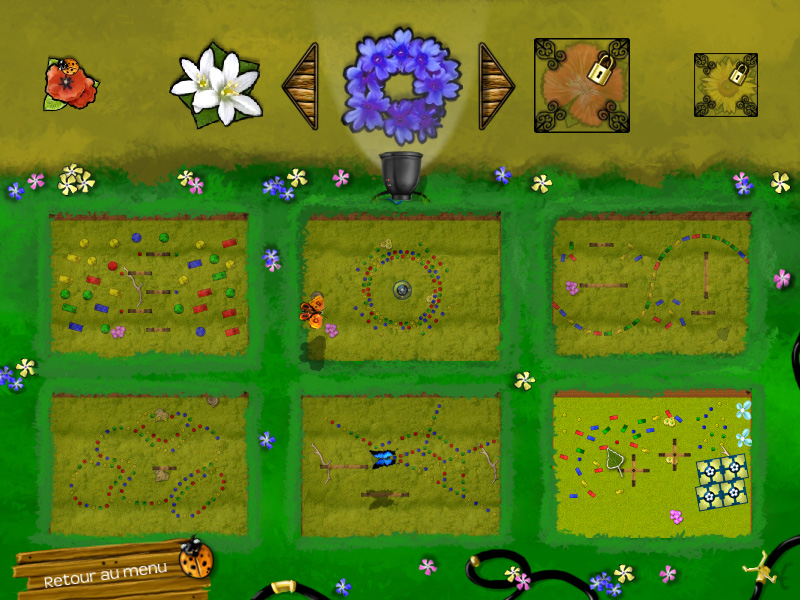
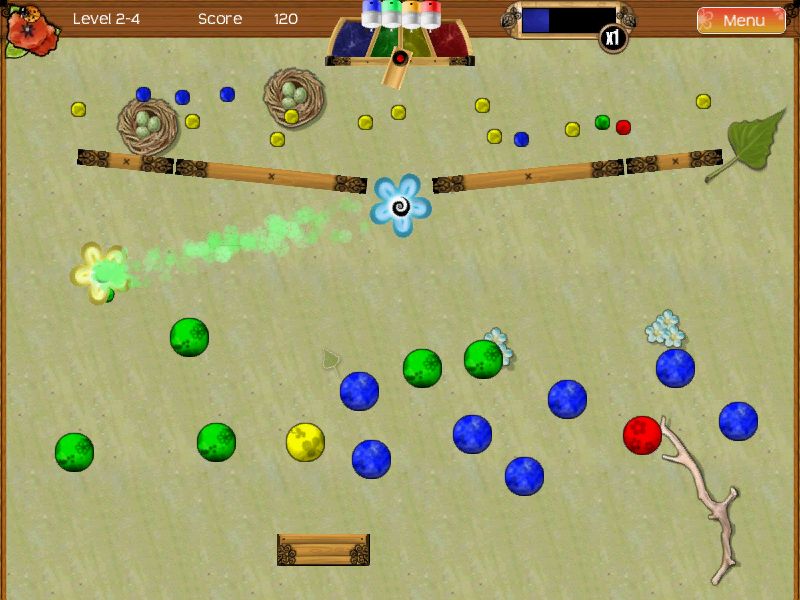
| The realistic physics of Spring Up! offer a unique experience with bouncing balls and bricks! Clear the 72 levels of 12 worlds by launching balls on color-matching elements.
Try to use the blow of the fans, the rebounds of the bumpers, the teleporters and various dynamic items to guide the balls. Once you hit the pegs, you still have to catch them using a user-controlled paddle to get more points. Power-ups can help you by upgrading your paddle or increasing your score multiplier. Using credits won by making big plays and combos, you can buy around 50 upgradables items for your own customizable garden, such as trees, statues, fountains, flowers and much more! Upload your high scores to the web and compare your points and accuracy with other players. Screenshots: Developed by Frozax Games. Requirements: Mac OS X 10.3+ This weekend’s ZOT? – The iWeb Themes Bundle from Jumsoft |
 |
RenewNormally: $20.00 ZOT Price: $10.99 |
| Click to MacZOT |

|
|
|
|
| Renew is a System Preference Pane that refreshes your desktop picture with high quality images from a variety of categories. Never again will you need to spend hours searching the web for high quality desktop images. Renew accesses our database of thousands of publicly available desktop images from dozens of host all over the world. Each image is downloaded as needed and set to your desktop picture automatically.
Features: Requirements: Click to Developer’s Site for more info.
|
 |
Snapper
|
| Click to MacZOT |

|
|
|
|
| Why Snapper?
Snapper is an easy to use, inexpensive, professional quality screen recorder. It lets you capture a movie of your screen while you are working. Use Snapper to easily demonstrate how to use a particular piece of software, or perform a task on your Mac. Create a movie to explain to a friend how to do a particular task. If you’re a software beta tester you can easily make movies to show a developer what’s going on with his/her app. Using Apple’s latest QuickTime technology, snapper creates high-quality movies for professional demonstrations as well as tiny movie clips suitable for e-mail. Use Snapper when words and pictures fall short. While a picture says a 1000 words, a movie says more than a thousand pictures. Whether you need animations for an instructional website or just want to share a smart move to your friend abroad, with Snapper you can capture a movie in a snap. Click to Developer’s Site for more info. Mac OS X 10.3 or later
|
 |
FileChute – Send Files EasilyNormally: $17.95 ZOT Price: $8.95 |
| Click to MacZOT |

|
|
|
|
|
How many times have you tried sending a large file as an email attachment
To send a file, just drop it on FileChute.
You can even drop multiple files and/or folders at once. FileChute
Setting FileChute up to work with your MobileMe account is super easy. Still not convinced? Here’s what our users sayDan Frakes on MacWorld Mac Gems:”…and if you frequently send larger files to others across the Internet, it’s the easiest solution I’ve seen…” Mac|Life magazine (July 2008) says, “FileChute makes sharing files online cut-and-paste easy.”
gulliver on VersionTracker:”I just tried this out last night, sinemacula on VersionTracker:”Very nice little app – does what it says and does it well. I particularly like the built-in ability to get a short download url via snipurl – very cool indeed!” System RequirementsMac OS X 10.4 or later. Intel or PowerPC Macs. Get more info at https://yellowmug.com |


;)